

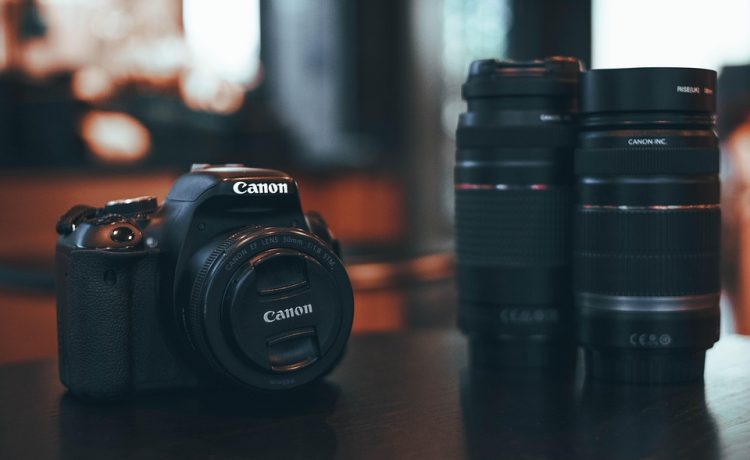
The Canon EOS R6 Mark II has rapidly become a favorite among photographers, both amateur and experienced, seeking the perfect balance of power, portability, and performance. As a mirrorless camera, it offers advanced features that can enhance your photography without the bulk of traditional DSLR systems. In this guide, we’ll help you get started with the fundamentals of the R6 Mark II, enabling you to unlock the magic of mirrorless photography.
Understanding the R6 Mark II
Before diving into how to use the camera, it’s essential to familiarize yourself with its core features:
- Sensor: The EOS R6 Mark II is equipped with a 24.2MP full-frame sensor, offering excellent low-light performance and stunning image quality.
- Video Capabilities: It supports 4K video at up to 60fps and Full HD at 120fps, allowing for high-resolution video recording for creative projects.
- Autofocus: With Canon’s Dual Pixel CMOS AF II, it boasts impressive autofocus capabilities, tracking moving subjects with precision.
- Image Stabilization: The in-body image stabilization (IBIS) helps to reduce camera shake, making it easier to capture sharp images and smooth videos.
Getting Started
1. Unboxing and Setting Up
Upon unboxing, ensure that you have all components: the camera body, lens, battery, charger, and any included manuals. Start by charging the battery and inserting it into the camera. Attach the lens, making sure to line up the marks for a secure fit.
2. Familiarizing Yourself with the Controls
The R6 Mark II features various dials and buttons that may seem overwhelming but are quite intuitive once you understand their functions:
- Mode Dial: Switch between different shooting modes (e.g., Manual, Aperture Priority, Shutter Priority, and Program).
- Control Dials: Adjust settings such as shutter speed and aperture.
- Menu/Info: Navigate the camera’s settings and access various functionalities.
- Playback: Review photos and videos you’ve just taken.
3. Setting Up the Menu
Upon powering up your camera, navigate to the settings menu. Key settings to consider adjusting include:
- Image Quality: Opt for RAW for the greatest editing flexibility or JPEG for ready-to-use images.
- Autofocus Settings: Customize focus modes and subject tracking for better results based on your shooting style.
- Video Settings: If aiming to shoot video, select the resolution and frame rate that fits your project.
4. Mastering Basic Shooting Techniques
Once you’re comfortable with the controls and settings, practice basic techniques:
- Composition: Use the rule of thirds by enabling the grid display. Frame your subject off-center to create a more dynamic photo.
- Exposure Triangle: Understand the relationship between aperture, shutter speed, and ISO. Start in Aperture Priority mode to learn how aperture affects depth of field.
- Aperture: Wider apertures (smaller f-numbers) create a shallow depth of field, while narrower apertures (larger f-numbers) ensure more of the scene is in focus.
- Shutter Speed: Experiment with different speeds to freeze motion or create motion blur.
- ISO: Adjust ISO settings according to lighting conditions, balancing sensitivity and noise levels.
5. Exploring Advanced Features
Once you’re comfortable with the basics, start exploring the advanced features:
- Burst Mode: Capture fast action by using the continuous shooting mode. The R6 Mark II can shoot up to 40 frames per second in electronic shutter mode.
- Customizable Controls: Utilize the custom buttons to set frequently used features, enhancing speed and accessibility while shooting.
- Eye Detection AF: Perfect for portrait photography, this feature ensures the subject’s eyes are always in focus, adding a professional touch.
6. Editing and Sharing Your Work
Modern photography doesn’t end with taking shots. Utilize software such as Adobe Lightroom or Canon’s Digital Photo Professional for editing. Focus on adjusting exposure, colors, and cropping to enhance your images. Once your pictures are ready, share them on social media or print them for a tangible keepsake.
7. Continual Learning
Join photography communities, attend workshops, and read books to constantly improve your skills. Experiment often—play with settings, perspectives, and subjects. Learning through practice will help solidify your knowledge and boost creativity.
Conclusion
The Canon EOS R6 Mark II is a powerful tool that enables photographers to explore the world of mirrorless photography with ease. By mastering the basics and delving into its advanced features, you’ll soon find yourself capturing stunning images and videos that reflect your unique vision. Embrace the journey, and let the R6 Mark II inspire your creativity—welcome to the realm of mirrorless magic!


