

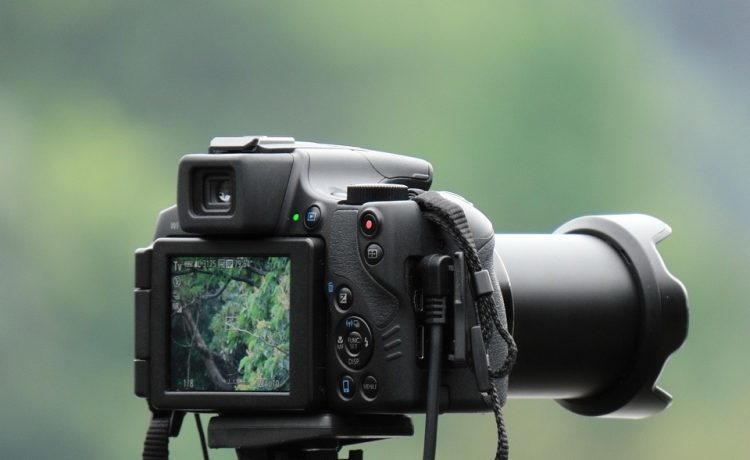
Congratulations on your new Canon EOS R! This mirrorless camera packs a powerful punch with its impressive features, making it an excellent choice for both beginners and experienced photographers alike. In this guide, we’ll walk you through the essential steps to help you get started on your photography journey with the EOS R.
1. Understanding Your Camera
Before you dive in, it’s important to familiarize yourself with the body of the camera:
- Mode Dial: This dial lets you select different shooting modes, from fully automatic to manual settings.
- Shutter Button: Located on top, this button is used to take pictures and half-press it to focus.
- LCD Screen: The touchscreen is not just for reviewing images; it can also help adjust settings and focus.
- Viewfinder: The electronic viewfinder (EVF) allows you to see what the sensor sees, providing a real-time view of your shot.
- Control Dials: These adjust exposure settings like shutter speed and aperture.
2. Setting Up the Camera
Inserting the Battery and Memory Card
- Battery: Locate the battery compartment, usually at the bottom of the camera. Insert the battery until it clicks into place.
- Memory Card: Open the memory card slot and insert the card labeled “SD,” ensuring the notched side aligns correctly.
Powering On
Switch the power on using the switch located near the mode dial. You should see the Canon logo on the screen.
Language and Date Settings
On your first boot, follow the on-screen instructions to set your preferred language, date, and time. This will help keep your images organized with correct timestamps.
3. Choosing the Right Lens
As a mirrorless camera, the EOS R uses the Canon RF mount. Depending on your photography style, here are some popular lens options:
- RF 24-105mm f/4L IS USM: A versatile zoom lens suitable for various scenarios including portraits and landscapes.
- RF 50mm f/1.2L IS USM: Ideal for stunning portraits with beautiful background bokeh.
- RF 15-35mm f/2.8L IS USM: Great for wide-angle shots, perfect for landscapes or architectural photography.
To attach your lens, remove the rear cap from the lens and the front cap from the camera. Align the white dot on the lens with the white dot on the camera mount and rotate the lens until it locks in place.
4. Basic Camera Settings
To get the best out of your EOS R, start with these basic settings:
Shooting Modess
- Auto Mode (Green Square): Ideal for complete beginners, this mode makes all the settings automatically.
- Program Mode (P): Offers more control while still being easy to use. You can adjust settings like ISO and exposure compensation.
- Aperture Priority (Av): You set the aperture while the camera calculates the shutter speed. This is great for controlling depth of field.
- Shutter Priority (Tv): You choose the shutter speed, and the camera sets the aperture. Perfect for capturing motion.
- Manual Mode (M): You control both aperture and shutter speed for full creative control.
Image Quality Settings
Set your camera to shoot in RAW format for the highest quality images. This allows for greater flexibility during post-processing. To do this:
- Navigate to the menu.
- Go to the “Image Quality” section.
- Select RAW.
Autofocus Options
The EOS R features an advanced Dual Pixel CMOS AF system. Experiment with different autofocus modes:
- One-Shot AF: Best for still subjects.
- AI Servo AF: Ideal for moving subjects, maintaining focus as they move.
- Face Detect AF/Movie Servo AF: Great for portraits or video.
5. Taking Your First Shots
Here’s a simple sequence to get you started:
- Set your mode dial to Auto or Program.
- Frame your subject using either the LCD or the viewfinder.
- Half-press the shutter button to focus.
- Press the shutter fully to take the shot.
- Review your image and adjust settings according to your vision.
6. Exploring the Camera’s Features
Once you feel comfortable with basic shooting, explore advanced functions:
- Creative Filters: Add effects directly in-camera to give your photos a unique look.
- Wi-Fi/NFC Connectivity: Transfer images to your smartphone for easy sharing.
- Video Recording: The EOS R can capture stunning 4K video—perfect for aspiring videographers.
7. Maintenance Tips
To keep your Canon EOS R in great shape, consider the following:
- Lens Care: Use a lens cap when not in use and clean the glass with a microfiber cloth.
- Battery Charging: Use the official Canon charger and store batteries properly to prolong their life.
- Firmware Updates: Regularly check Canon’s website for updates to ensure optimal performance.
Conclusion
The Canon EOS R is a powerful tool that can unlock your creativity. By familiarizing yourself with its features and exploring various settings, you’ll be well on your way to capturing stunning photos. Don’t hesitate to experiment, and most importantly, have fun with your new camera. Happy shooting!


